 WCAG 2.2 Handbook
How to Use This Resource
Understanding the four pillars, three compliance levels, and impairment categories that structure the WCAG 2.2 guidelines.
The Four Pillars of Accessibility
WCAG is organized around four core principles — often abbreviated as POUR. The guideline
numbering reflects this: a guideline starting with 1. is about Perceivability, 2.
about Operability, and so on.
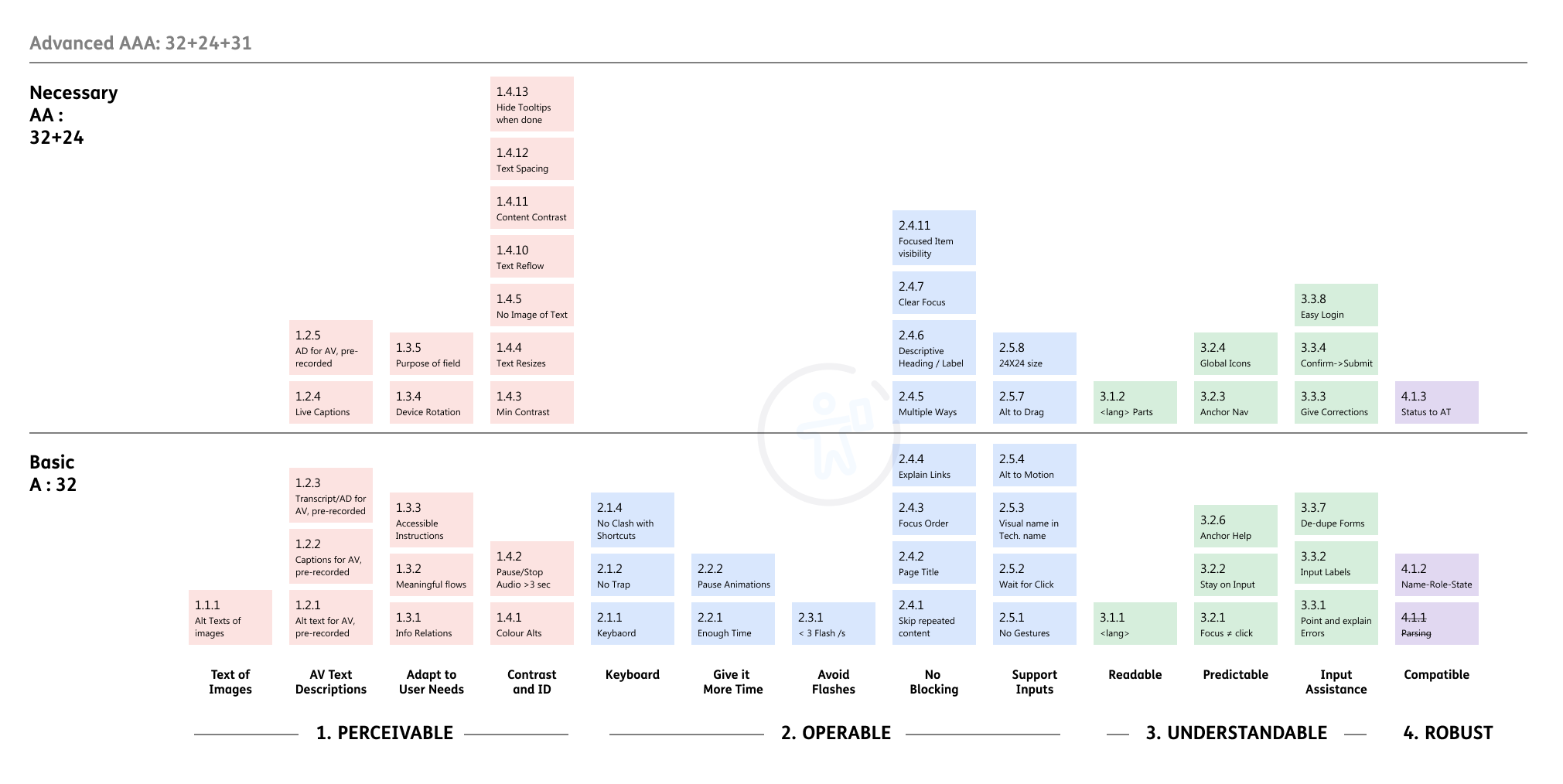
The WCAG Chart
Here is the lay of the land. This chart has helped me understand the 13 themes and the guideline structure in the entire WCAG. You can download a PDF version of the following chart from the link below.
Three Levels of Compliance
Compliance levels are stacked — to achieve AA, you must first pass all A criteria.
| Level | Criteria Count | What it means |
|---|---|---|
| A | 32 success criteria | Basic level. Essential accessibility — without it, some users cannot access the content at all. |
| AA | 24 additional criteria (56 total) | The globally accepted standard. Required by most accessibility laws worldwide. |
| AAA | 31 additional criteria (87 total) | Enhanced accessibility. Optional — but aspirational. Not covered in this handbook. |
Impairment Categories
The guidelines in this handbook are tagged by which type of disability they serve. Here's how they're classified:
Note on Elderly: Although not a disability, this section covers problems associated with advanced age like loss of contrast, loss of vision, loss of hearing and reduced memory and cognition. This may result in inability to learn new things quickly and keep with the changing tech landscape.
A Note on Tools
This handbook is tool-agnostic, but the author is a Figma user. Plugin recommendations and testing advice lean toward Figma — but the underlying theory applies to any design tool.